
Description
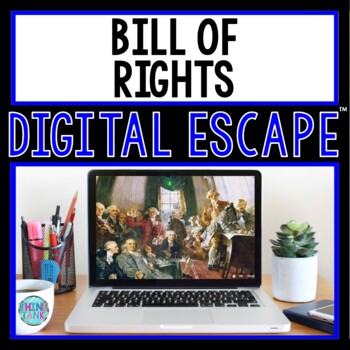
The Bill of Rights DIGITAL Escape Room will take students on a secret mission through two 360° VIEW rooms! This escape room has students decode interesting facts about the US Constitution and the Bill of Rights. Drag the mouse or keypad to move the screen for a 360 view! All you have to do is share the link with your students!! It’s THAT easy! No prior knowledge is needed.
***STUDENT GOOGLE ACCOUNTS™ REQUIRED FOR USE***
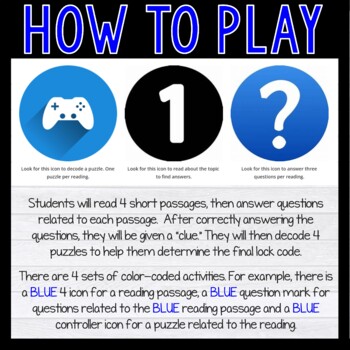
Students will read 4 short passages, then answer questions related to each passage. After correctly answering the questions, they will be given a “clue.” They will then decode 4 puzzles to help them determine the final lock code.
There are 4 sets of color-coded activities. For example, there is a BLUE 4 icon for a reading passage, a BLUE question mark for questions related to the BLUE reading passage and a BLUE controller icon for a puzzle related to the reading.
It is your responsibility to ensure the links will work prior to your purchase. Test these links first on a student account.
https://sites.google.com/view/testsiteforthinktank/home
https://www.thinglink.com/edu (no account needed)
Activities Included:
- Activity 1: Reading, Quiz, Cryptogram
- Activity 2: Reading, Quiz, Maze
- Activity 3: Reading, Quiz, PigPen Cipher
- Activity 4: Reading, Quiz, Jigsaw Puzzle
Students will work in pairs (or individually) and race against the clock. A friendly competition always increases engagement. Each code will reveal interesting facts about the topic. This escape room ensures that students actually read the passages! They must answer 3 questions about each of the 4 passages correctly to move on to the puzzle decoding.
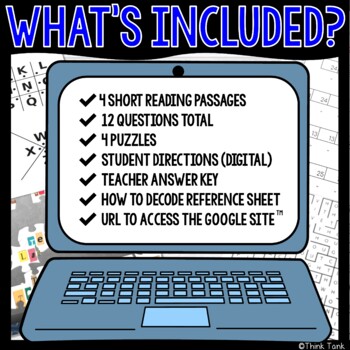
What’s Included?
- 4 Short Reading Passages
- 12 Questions Total
- 4 Puzzles
- Student Directions (digital)
- Teacher Answer Key
- How to Decode Reference Sheet
- URL to access the Google site™
Watch the video or click on the preview button to take a closer look at everything included!
What’s needed?
- Scratch Paper
- Pencils
- Internet
- Student Google Accounts™
Skills Used:
- Reading Comprehension
- Critical Thinking
- Peer Collaboration
- Problem Solving
To prevent students from simply decoding the puzzles, ALL questions need to be answered correctly in order to solve the final code. This ensures understanding!
Benefits of Use:
- Cross-Curricular
- Highly Engaging
- Self-grading
- Immediate Student Feedback
- Paperless
- No Prep
- Saves You Time
It is recommended that students have a small scratch sheet of paper, or a copy of the student reference sheet included in your download.
Options for Use:
- Front-Loading
- Group Stations
- Sub Plans
- Unit Review
- Enrichment Activity
- Teamwork Activity
- Reward Activity
- Computer Day
- Distance Learning
Students CAN NOT complete this activity without reading and answering the quiz questions correctly! There is also a “Read to Me” option which allows the students to hear the passage read to them. If they choose this option, be sure they have headphones.
By purchasing this product, you understand that you AND your students must have a Google account™.
Please note: You will not be able to collect scores or data since this is a self-checking, view-only, digital activity.
Click HERE to grab a F-R-E-E Color by Number Activity!
»»» Thinktivity™ Reading Passages : Click HERE
»»» Comprehension Challenge and CSI Spy Mystery: Click HERE
»»» Printable ESCAPE ROOMS: Click HERE
»»» Text Marking Detective: Click HERE
»»» Scavenger Hunts: Click HERE
»»» Digital Secret Message Activities: Click HERE
»»» Puzzle Breakouts: Click HERE
»»» Interactive Google Slides™: Click HERE
»»» Digital ESCAPE ROOMS: Click HERE
»»» Color by Number – Text Marking: Click HERE
»»» Digital Reading Passages: Click HERE
»»» Task Card Review Games: Click HERE
»»» Interactive Game Boards: Click HERE
»»» Reading Passages and Text Marking: Click HERE
»»» Back to School: Click HERE
»»» Collaborative Posters: Click HERE
»»» Digital Interactive Notebooks: Click HERE
»»» Grades 3 and 4 Escape Rooms: Click HERE
Copyright Information :
© Think Tank Teacher LLC. Please note – all material included in this resource belongs to Think Tank Teacher LLC. By purchasing, you have a license to use the material but you do not own the material. You may not upload any portion of this resource to the internet in any format, including school/personal websites or network drives unless the site is password protected and can only be accessed by students, not other teachers or anyone else on the internet.
Tom B. –
just what I needed to help explain the topic. Easy to use
Chamaine Mizesko –
I love escape rooms! I have purchased many of these just on different topics.
Elizabeth P. –
My students love digital escape rooms, so this was the perfect supplement to our study of the Bill of Rights!
Sarah Englert –
The Bill of Rights is something that my kids struggle with sometimes. This was great for them and help a lot of my students make connections
Lauren Cannon –
My students loved this! Awesome resource! Thank you!
Jennifer C. –
This resource was difficult to use. That was partially my fault, but I thought this would be easier for students to completes than it was and not as time consuming.
RetroTeacher –
We used this during our government unit and the students were very engaged.
Amy F. –
I couldn’t use the escape room, although my students have Google accounts. The tech department doesn’t allow open google.site for security reasons.
Haley B. –
Thank you! This was super engaging, fun, and helpful for my students!
Andrea J. –
My students love doing escape rooms. This one was great for our Constitution unit.
Jennifer H. –
This was a great review resource to use with my students after we learned about the Bill of Rights. It was challenging for many of them, but they were eager to work through it. When the time ended, students who had not “escaped” asked if they could still work on it at home.
Sandra B. –
My students enjoyed this resource.
HEATH B. –
Great Product! Thanks
Lisa R. –
My students loved this resource. Great fun and learning for our government unit.
Lydia S. –
Used this as a review
Amanda L. –
Great resource!
lisa knupp –
Great, well written resource for my students. It was however fairly difficult for some students to naviagate the 360 degree pages.
Melissa W. –
This is really unique and not something I could have created on my own. It holds the interest of the students.
Christy W. –
We were unable to unlock lock number 2. It would not let us continue because we couldn’t unlock it. We put the correct answer from the answer key but it still did not work.
Rachel M. –
Worked great as a review in the classroom. I will use this product again.